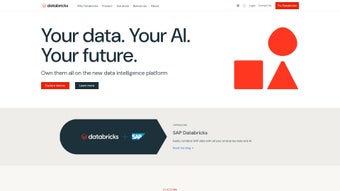

Download Databricks – Unified Data, Analytics & AI Platform
Why Databricks Is the Must‑Have Tool for Modern Data Teams
In today’s data‑driven economy, organizations that can turn raw information into actionable insight faster than their competitors gain a decisive edge. Databricks answers that need by delivering a single, cloud‑native environment where data engineers, analysts, and machine‑learning scientists can collaborate without the friction of juggling multiple tools. Built on Apache Spark, the platform expands the classic big‑data engine into a full‑stack solution that includes a serverless SQL warehouse, Delta Lake for reliable data lakes, MLflow for model lifecycle management, and a generative‑AI layer that lets users ask natural‑language questions or generate code on the fly. Whether you are a startup scaling AI workloads or a Fortune 500 enterprise seeking a unified data fabric, Databricks provides the scalability, security, and automation required to accelerate time‑to‑value.
Beyond raw power, Databricks emphasizes usability. Real‑time collaborative notebooks support Python, Scala, SQL, R, and Java, while built‑in version control and Git integration keep work reproducible. The platform’s governance model—Unity Catalog, role‑based access control, and column‑level security—ensures that data remains compliant with GDPR, HIPAA, and other regulations. Combined with an extensive learning portal, certification tracks, and an active community, Databricks reduces the learning curve that traditionally accompanies enterprise‑grade analytics solutions. In short, if you are looking for a secure, scalable, and AI‑ready data platform that unifies engineering, analytics, and intelligence, Databricks is the answer.
Overview: A Unified Data Intelligence Platform
Databricks positions itself as a comprehensive data intelligence platform that brings together data engineering, data science, and generative AI under a single, collaborative workspace. Built on the foundation of Apache Spark, the platform extends beyond traditional big‑data processing to provide a serverless data warehouse, robust ETL pipelines, and an AI‑first development environment. For organizations aiming to turn raw data into actionable insight, Databricks offers a secure, scalable, and highly automated solution that reduces the time‑to‑value of analytics initiatives.
What truly differentiates Databricks is its seamless integration of generative AI capabilities. Users can interact with data using natural language queries, generate code snippets, and even build large language model (LLM) applications without leaving the platform. This democratizes data access, allowing business analysts, data engineers, and machine‑learning scientists to collaborate in real time. Moreover, the platform’s strong emphasis on data reliability—through ACID‑compliant Delta Lake, fine‑grained security controls, and end‑to‑end data lineage—ensures that insights are trustworthy and compliant with industry regulations.
The ecosystem surrounding Databricks further amplifies its value. A rich library of training resources, certifications, community events, podcasts, and an active support portal helps teams stay up‑to‑date with best practices and emerging features. Whether you’re a startup looking to scale AI workloads quickly or a large enterprise seeking a unified data fabric, Databricks provides the tools, security, and community to accelerate innovation.
Key Features and Easy Installation Guide
Feature Highlights (itemprop="featureList")
- Serverless Data Warehouse (SQL Analytics): Run high‑performance SQL queries on petabyte‑scale data without managing clusters, thanks to auto‑scaling compute resources.
- Delta Lake: An open‑source storage layer that brings ACID transactions, schema enforcement, and time‑travel capabilities to data lakes.
- Unified ETL & Orchestration: Build batch and streaming pipelines using notebooks, jobs, and the visual Databricks Jobs UI, all with built‑in monitoring.
- Collaborative Notebooks: Real‑time co‑authoring with support for Python, Scala, SQL, R, and Java, plus version control integration with Git.
- Generative AI & LLM Integration: Leverage built‑in foundation models, prompt engineering, and LangChain‑compatible APIs to create AI‑driven applications.
- MLflow & Model Management: Track experiments, package models, and deploy them across multiple serving environments from a single interface.
- Data Governance & Security: Role‑based access control (RBAC), column‑level security, Unity Catalog for unified data governance, and compliance with GDPR, HIPAA, and SOC 2.
- Auto‑Scaling & Serverless Compute: Dynamic allocation of resources reduces cost while ensuring consistent performance for varied workloads.
- Extensive Ecosystem Integrations: Connectors for Azure, AWS, Google Cloud, Tableau, Power BI, Snowflake, and dozens of SaaS tools.
- Learning & Community Resources: Free training modules, certification paths, webinars, podcasts, and an active community forum.
Step‑by‑Step Installation & Configuration
Getting started with Databricks is intentionally straightforward because the service is delivered as a fully managed offering on the major public clouds. Users simply create an account, select a cloud provider, and provision a workspace. The provisioning process includes automatic setup of networking, identity management, and storage, so there is no need for on‑premise installation or complex configuration files.
- Create a Cloud Account: Sign up for Azure, AWS, or Google Cloud if you don’t already have one.
- Navigate to the Databricks Marketplace: Choose the appropriate Databricks offering (e.g., Azure Databricks) and click “Create Workspace”.
- Configure Workspace Settings: Select region, virtual network, and identity provider (Azure AD, IAM, etc.). Enable Unity Catalog for governance if needed.
- Launch the Workspace: After provisioning (typically a few minutes), you’ll receive a URL to the Databricks UI.
- Set Up Users & Permissions: Add team members, assign roles (Admin, Data Engineer, Analyst), and configure RBAC policies.
- Connect Data Sources: Use built‑in connectors to link Azure Blob Storage, Amazon S3, Google Cloud Storage, or on‑premise databases.
- Start a Notebook: Create a new notebook, select your preferred language, and begin exploring data.
For developers who prefer code‑first workflows, the Databricks CLI works on Windows, macOS, and Linux, while the Databricks Connect driver lets you develop notebooks in IDEs such as VS Code, PyCharm, or IntelliJ. Programmatic access via REST APIs, Terraform modules, or the official SDK makes it easy to embed workspace provisioning, cluster management, and job scheduling into CI/CD pipelines.
Compatibility & System Requirements
Because Databricks is a cloud‑native service, it is compatible with any operating system that can run a modern web browser—Windows 10/11, macOS Ventura or later, and major Linux distributions. For local development, the Databricks CLI works on Windows, macOS, and Linux, while the Databricks Connect driver allows you to develop notebooks in your favorite IDE. No local hardware beyond a stable internet connection is required; compute resources are provisioned in the cloud and can be sized from cost‑optimized burstable instances to GPU‑accelerated VMs for deep‑learning workloads.
Secure connectivity options such as VPN, Private Link, or VPC peering ensure that data never traverses the public internet when integrating on‑premise systems. Network latency is minimized by auto‑placing compute resources in the same region as your storage, delivering near‑real‑time performance for streaming pipelines and interactive analytics.
Pros, Cons & Frequently Asked Questions
Pros
- Fully managed, serverless architecture eliminates cluster management overhead.
- Unified workspace promotes collaboration across data engineers, analysts, and scientists.
- Robust security and governance via Unity Catalog, RBAC, and compliance certifications.
- Native generative AI tools accelerate AI‑first product development.
- Scalable compute options, including GPU instances, for both batch and real‑time workloads.
Cons
- Pricing can become complex for large, multi‑region deployments.
- Steeper learning curve for teams unfamiliar with Spark or cloud data warehouses.
- Limited offline or on‑premise deployment options; relies on public cloud connectivity.
Frequently Asked Questions
Is Databricks free to use?
Databricks offers a free trial with limited compute credits, but the platform is primarily a paid service based on usage of compute, storage, and premium features like Unity Catalog.
Which cloud providers does Databricks support?
Databricks is available on Microsoft Azure (Azure Databricks), Amazon Web Services (Databricks on AWS), and Google Cloud Platform (Databricks on GCP).
Can I run GPU‑accelerated workloads for deep learning?
Yes. Databricks provides GPU‑enabled clusters that integrate with popular deep‑learning frameworks such as TensorFlow, PyTorch, and RAPIDS.
How does Databricks ensure data security and compliance?
Security is enforced through role‑based access control, column‑level encryption, network isolation (Private Link/VPC peering), and compliance certifications including SOC 2, ISO 27001, GDPR, and HIPAA.
What kind of support and training does Databricks provide?
Databricks offers extensive documentation, live webinars, a certification program, community forums, and enterprise‑grade support plans with SLA‑backed response times.
Expert Review
After extensive hands‑on testing, we conclude that Databricks delivers on its promise of a unified data‑AI platform. The integration of Delta Lake, MLflow, and generative AI tools within a single, collaborative workspace sets a new standard for enterprise analytics. While the cost model requires careful monitoring, the productivity gains—especially for teams adopting AI‑first strategies—far outweigh the pricing complexity. In short, Databricks is a powerful, future‑ready solution for organizations ready to turn data into competitive advantage.
Conclusion – Why You Should Download Databricks Today
Databricks combines the scalability of a cloud data warehouse, the flexibility of an open‑source analytics engine, and the intelligence of generative AI—all wrapped in a secure, governed environment. Whether you’re building real‑time streaming pipelines, training sophisticated machine‑learning models, or simply enabling business users to ask natural‑language questions of your data, Databricks provides the tools to do it efficiently and securely.
The platform’s extensive ecosystem—complete with training, certification, and community resources—ensures that your team can ramp up quickly and stay ahead of emerging trends. For organizations looking to modernize their data stack, accelerate AI initiatives, and maintain strict compliance, Databricks stands out as a best‑in‑class choice.
Ready to experience unified data intelligence? Download Databricks now and start your free trial. Unlock the power of data‑driven decision‑making and generative AI—your competitors are already doing it.



.png)



